Posts

Showing posts from June, 2009

Web comics Kungfu fighting action pack Kapow Express

Image
Web comics Kungfu fighting action pack Kapow Express...well it's also comedy from time to time. Here is another update from Kapow Express: FINALLY! ***Adding another half page update on July 9th, 2009 ENJOY! :) It's been sometimes, I have been trying to do good drawing or painting in the past couple of days...it didn't turn out...but tonight possibly I am determine to make the better one than the last Digital painting video tutorial Court Lady, or at least up to the same par. Anyway, it's KAPOW EXPRESS time. Previously on Kapow: Cheng, Bing Bing, and unconcious Mei ran into the strangely quiet village. They see nobody in town. Apparently, the red lantern OLD lady showed up...and it accidentally scared them. Mei woke up wondering where she is. The kung fu kids are looking for lodge and food, but seems no one can offer them in this town. Here is what happen next: And for newest art tutorials don't forget here Digital painting video tutorial Court Lady, and rece...

Digital Painting Process Character Rogue Samurai Swordsman Update

Image
Digital Painting Process Rogue Samurai Swordsman Update. Here is an update on the image I worked on for fun. I notice something I should mention. Usually the first half hour of painting is more like a warm up for me, so does in drawing. During the time, things usually but not always don't come together as well as I expect. But things started to pieces together after that, it is usually goes really well when I have about an hour in and then taper off after a few hours. So currently I spend the first half hour doodling and studying on other image as a warm up before I start painting the project that I left off mid way. I found it gives me better result instead of jumping in right away without warming up. I notice that in life drawing also, I usually have to spend about 15 minutes struggling to get where I think I should be. In case you missed, you can look at the previous post for step by step digital painting tutorial Rogue Samurai Another tip is that I could work on a few ima...

Drawing tutorial Zombie Ninja character design

Image
Zombie Ninja digital painting tutorial character design. Well, the last post I did about the first edition of drawing the color sketch zombie ninja (see Manga tutorial drawing zombie ninja it also include many of ninja drawing tutorial links.)didn't really fit what I had in mind. It came out like a sub-par quality which is kind of disappointing. So I did another quick character design again last night. Most of the important elements of the character I keep, like the goggles, darts, pants (almost Hakama like), etc. This time it is creepier, darker and more menacing. Just like what I actually want the character to be. If you are a beginner, look for more video tutorial on male body, anotomy and such go watch Drawing body muscle torso anatomy tutorial. And Drawing arm muscles bicep tricep There will also be some basic include there. Then you could try out the following tutorial. Anyway, here is my revenge on my own drawing. ANOTHER version (better) of the same charact...

Drawing Anime Girl tutorial

Image
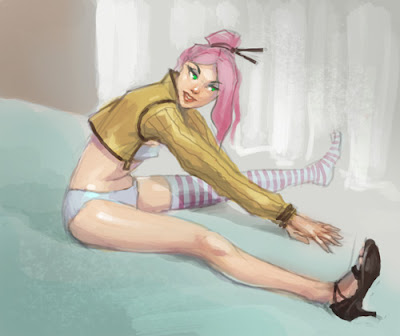
Drawing Anime Girl tutorial quick sketching process A BASIC tutorial on drawing a girl in the manga anime style, this time focusing on simple drawing and coloring techniques. I thought I haven't really done clean vibrant Anime/Manga stylize influence in a while...so I just sketched up one last night. First I was going for the high key but then the colors and values kind of sway me so I change my mind to keep it at mid key somehow. Hope you guys enjoy it! Here is a couple hi-key color tutorials Anime Tutorial How to draw and color (This one with light blue color schemes and leaning more toward color scheme .), Draw Anime Girl (This one uses complimentary color schemes Blue and Orange very subdue and bright at the same time) and Draw and Color Comics woman (This is off blue to green with complimentary peachy skin tone.) Hope these help! Art tips : If you want to be a superb artist, always have a sketchbook at all times. Doodle, scribble, sketch. Play with shapes and l...

Sketching background for Manga comics process

Image
Sketching background for Manga comics process. There are some request on the subject of the interior background tutorial for comics, manga, and concept. I will admit that it is not really my cup of tea, it took me longer than it should. But I gave it a shot anyway since I have to do a few for the coming panel for Manga comics Kapow Express. Comes to think about it, I haven't done much of the setting tutorial like interior of a building or corridor. Most of the environment tutorial I did was mostly landscape and concept art landscape tutorial (painting Magma river concept), also this one is a little more basic draw and paint landscape technique (mountains, water, sunset theme). One more here is drawing and painting landscape (WaterFall), How to draw and paint snow rocky mountain scenery. The one that I felt it's similar to anything interior or building is Cityscape Environmental tutorials . Also Environmental design sketch one point perspective Anyway, I hope to do more...

Painting over my old anime girl drawing process

Image
Painting over my old anime girl drawing process, girl with guns! This one sketch and quick color of Anime Girl I did a couple years back. And I thought it is a good time to kind of revive and paint over and see what I could come up with. There is something about this color sketch even though it's neither finished nor anatomically 100% correct. It has something that I am fond of, could not pin point what it is. I really have a hard time repainting and reimagining the image as it exist. The process goes really slow, I am struggling to make it look better overall. I could not resist trying to make the face become a little more realistic or render it out. But every time (I did a few versions) I paint over the face, it lost its originality or its identity. Plus, none of them looks as charming. So I decided to leave the face as is for now. Here are step by step of what I did with it Grrrrr.......no so happy here yet. Still to be continued. I wasn't really happy wit...

Online Comics Kung Fu Comedy crazy cool Kapow Express

Image
Online Comics Kung Fu Comedy crazy cool Kapow Express panels update again. Ok, I decided to update again replace the half with the whole page of Kapow Express. :) Just a few panels I quickly color sketch them out... cuz I figure most of you (if you are paying any attention to the comics.) would want to know what happen next. And believe me, so do I. I wish I could draw and paint faster than I am now. It would be nice if I could draw and paint panels as fast as I come up with the story and such. OK, if you are interested in this particular Manga style here are some tutorials Draw Manga facial expression . Also here is some Naruto stuff (I know, I can't help it) How to draw Naruto Manga Anime . And some tutorial with full body (figure) and stuff How to draw Manga Anime girl , How to draw Goth Anime girl *include the use of digital screentone (half tone), Drawing tutorial zombie ninja character (*This one has a lot more render detail) and Draw Metal Gear Girl female assassin ...

Separate line drawing layer in Photoshop from scanned drawing, tips for artist.

Separating lines from scanned drawing in Photoshop, tips for artist. This technique you won't need to set the layer with the lines to multiply and you'll be able to change colors to the lines very easy later on. Very useful when you want to do comics book with outlines style and anime with outlines. Especially if you have a solid black ink drawing your art will turn out sharp and clean! I receive this suggestion from e-mail from a fellow artist so all the credits go to him. Submitted and written by Otoniel Duran 1.Select the layer with the lines (make sure the whole layer background has a color "whatever color" or just the corners). 2.Ctrl+A to select the whole layer. 3.Ctrl+C to copy the layer. 4.Alt+click on the layer mask to edit it. 5.Ctrl+V to paste the image there. 6.Ctrl+I to inverse the colours of the image on the layer mask. 7.Now Click on the normal Layer to edir the original image with the lines. 8.Select all and Delete the whole layer. 9.Now paint bucket...

FREE Photoshop Brush set download Paint Markers

Image
FREE Photoshop Brush set download Paint Markers. Author : juiceboxvisual.net Download 20 brushes in set FREE Photoshop Brush set download Finger Paint. Author :juiceboxvisual.net Download 20 brushes in set Enjoy the Free Brushes, Now go paint something with it. Recent Drawing Video tutorials: - Drawing tutorial zombie ninja character - Sketch character design Villain - How to quick color comics panel process - Limited color patette study 002 - Painting tutorial limited color palette 001 - Mecha Robot concept tutorial process update More full length PREMIUM video tutorials

Web comics Manga Kapow Express more quick panel update

Image
Web comics Manga Kapow Express more quick panel update. I thought I would update the Online Manga more frequently for a few more weeks so that I would get the idea, story, and my enthusiastic into the flow. Lucky you those who are requesting more and more Manga. I know I kind of slow down on producing quick video tutorials...but don't worry it will come in times. I just need to refresh and trying to acquire new idea for up coming video tutorial on how to draw and paint. Previously on Kapow: Cheng, Bing Bing, and unconcious Mei ran into the strangely quiet village. It seems like there is no one in town. Appearently, some OLD LADY with red lantern showed up...and it scared them just a little. And this is what next... Kapow Express Chapter 2 page 5 (last half) Go read Previously posted: Cheng and Bing Bing ran into an old lady Or READ the whole thing goto Kapow Express online: KapowExpress.com Online Manga As usual, feel free to give me idea on the story line, gags...something ...

Sketch character design new villain for Kapow Express Manga

Image
Sketch character design new villain for Kapow Express Manga. Here is another character villain character. This guys is extremely genius like a mad scientist for the Japanese Empire WWII military special ops called "Midnight Blood". It's secret operation station on the quiet town right next to HangZhou before the war actually start. He came in the rank of "Shōshō" or "Major-General." Yeah I know the comics is getting complicated and possibly interesting than you think right? Here is a final sketch of un-named yet (Major) It's a really quick and rough character sketch...nothing fancy. Let's ...ok step by step how I draw his facial structure. 1) 2) 3) 4) 5) Final Face sketch study If you are a beginner, look for more video tutorial on male body, anotomy and such go watch Drawing body muscle torso anatomy tutorial. And Drawing arm muscles bicep tricep There will also be some basic include there. Then you could try out the following tutorial...

How to color a comic panel process tutorial step by step

Image
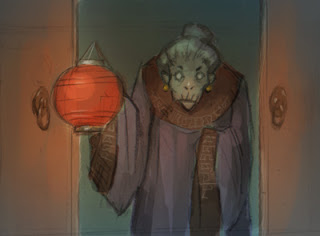
How to color a comic panel process tutorial step by step. Here is one of my favorite panel from the last update. An old lady with lantern, this one came out the way I really want the whole chapter to turn out, but it's most likely impossible. I like how the lighting in this particular panel turns out personally. As when I do comic or Manga (color) panel, it requires quick way to finish (unlike illustration), not to the point of perfection but readability so that we can move on to the next panel and make the story flow. Anyway, in this particular one I sketch out an image on a paper (a page in my sketchbook), then I scan it in and the process is as simple as down below step by step. Enjoy! Here is how I color my comics Manga, final render. Here are step by step process: 1) 2) 3) 4) 5) 6) Fin Drawing Software & Tools I used and recommended: - Wacom Intuos3 6X8 Pen Tablet or Genius MousePen 6x8 Softwares: - Gimp (Free Download) -Adobe Photoshop CS4 (Professional software) N...